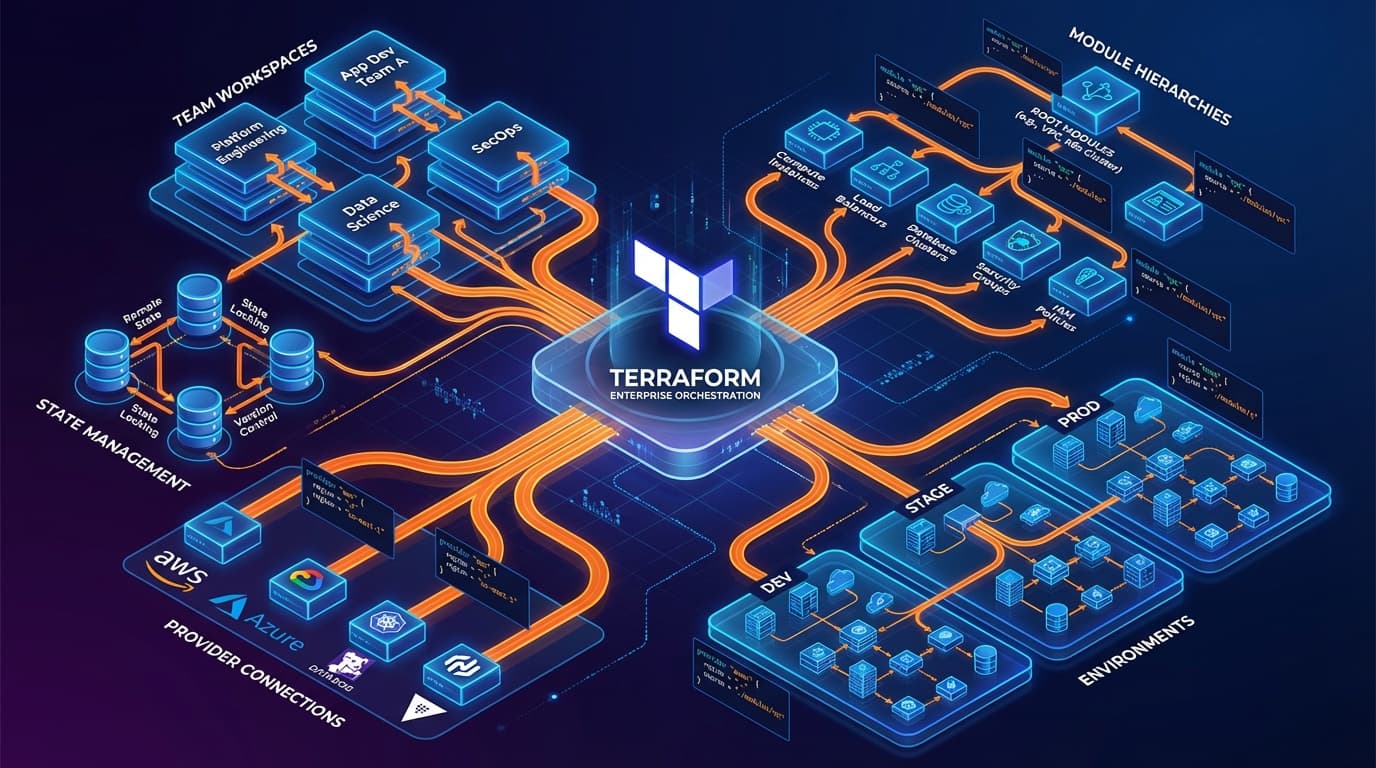
Terraform starts simple. A few resources, a single state file, one engineer who understands everything. Then success happens: more teams, more environments, more complexity. Suddenly that simple setup becomes a bottleneck. State file locks block deployments. Changes in one team break another. Nobody knows who owns what. Here is how to scale Terraform without losing your sanity.
The Scaling Challenges
As organizations grow, Terraform hits predictable pain points:
- State file contention: Large monolithic state means teams wait for locks
- Blast radius: A mistake in one module can affect unrelated resources
- Slow plans: Terraform must refresh thousands of resources before any change
- Code duplication: Teams copy-paste instead of sharing modules
- Drift and inconsistency: Manual changes accumulate, state diverges from reality
Pattern 1: State Segmentation
The most impactful change is splitting your state. Instead of one massive state file, create logical boundaries:
By environment:
- terraform/environments/dev/
- terraform/environments/staging/
- terraform/environments/prod/
By domain or service:
- terraform/networking/
- terraform/kubernetes/
- terraform/databases/
- terraform/applications/team-a/
Each segment has its own state file, its own lock, and its own blast radius. Teams can deploy independently. A networking change does not block an application deployment.
Cross-state references:
Segmented state files need to share data. Use terraform_remote_state data sources or, better, dedicated outputs stored in Parameter Store or Consul. This creates clear interfaces between state boundaries.
Pattern 2: Module Architecture
Modules are Terraform's reuse mechanism, but poorly designed modules create more problems than they solve. Here is a structure that scales:
Three-tier module hierarchy:
- Primitive modules: Thin wrappers around single resources with sensible defaults (aws_vpc, aws_rds_instance)
- Composite modules: Combine primitives into functional units (vpc-with-subnets, rds-with-monitoring)
- Service modules: Full application stacks that teams consume (microservice-stack, data-pipeline)
Teams should mostly interact with service modules. Platform engineers maintain the lower layers. This creates a clear division of responsibility.
Module versioning:
Every module should be versioned. Use semantic versioning and a private module registry (Terraform Cloud, Artifactory, or S3-based). Pin versions in consuming code—never use unversioned source references in production.
Pattern 3: Workspace Strategy
Terraform workspaces enable multiple instances of the same configuration. Use them for environment promotion, not for fundamentally different infrastructure.
Good workspace use:
- dev, staging, prod environments with the same structure but different sizes
- Regional deployments of identical infrastructure
- Feature branch environments for testing
Bad workspace use:
- Completely different infrastructure that happens to share some code
- Workspaces that require extensive conditional logic to function
If you need many conditionals based on workspace, your configurations are too different to share—split them into separate roots.
Pattern 4: Policy as Code
When multiple teams deploy infrastructure, you need guardrails. Terraform alone cannot enforce security policies, cost constraints, or compliance requirements. Add policy as code.
Tools for Terraform policy:
- Sentinel: HashiCorp's policy language (Terraform Cloud/Enterprise)
- OPA/Rego: Open Policy Agent with Conftest for plan file validation
- Checkov: Static analysis for security misconfigurations
- tfsec: Security scanner for Terraform code
Run policy checks in CI before apply. Block merges that violate policies. Make guardrails automatic, not advisory.
Pattern 5: Automated Pipelines
Manual terraform apply does not scale. Build automated pipelines that enforce process:
Pipeline stages:
- Validate: terraform validate, format check, linting
- Security scan: tfsec, Checkov, custom policies
- Plan: Generate and store plan file
- Review: Human approval for production changes
- Apply: Execute the reviewed plan
- Verify: Post-apply validation and drift detection
GitOps for Terraform:
Treat your Terraform repository as the source of truth. Changes flow through pull requests. Approved merges trigger applies. Atlantis and Terraform Cloud both enable this workflow.
Pattern 6: Drift Management
In multi-team environments, drift is inevitable. Someone makes a manual change. An automation modifies resources outside Terraform. State diverges from reality.
Drift detection strategies:
- Scheduled plans: Run terraform plan regularly and alert on differences
- AWS Config / Azure Policy: Cloud-native drift detection
- Driftctl: Open source tool for comprehensive drift analysis
Drift remediation:
- Import: Bring manual resources under Terraform control
- Override: Re-apply Terraform to restore desired state
- Accept: Update Terraform to match reality when the change is intentional
DACH Enterprise Considerations
German and European enterprises have additional requirements:
- State file security: State contains secrets—encrypt at rest, restrict access, audit reads
- Audit trails: Log all Terraform operations for compliance
- Change control: Integrate with ITSM processes for production changes
- Data residency: Ensure state backends and module registries meet data location requirements
Implementation Roadmap
You cannot fix everything at once. Prioritize these changes:
- Week 1-2: Segment your largest state files by domain
- Week 3-4: Implement basic CI pipeline with validation and security scanning
- Month 2: Extract common patterns into versioned modules
- Month 3: Add policy as code for critical guardrails
- Ongoing: Implement drift detection and remediation workflows
Measuring Success
Track these metrics to know if your patterns are working:
- Mean time to deploy: How long from commit to production?
- Lock contention: How often do teams wait for state locks?
- Plan duration: How long do terraform plan operations take?
- Rollback frequency: How often do you revert infrastructure changes?
- Drift incidents: How often does drift cause production issues?
Terraform at scale is not about perfect infrastructure as code—it is about enabling teams to move fast safely. The patterns here create guardrails without bureaucracy, sharing without coupling, and independence without chaos.