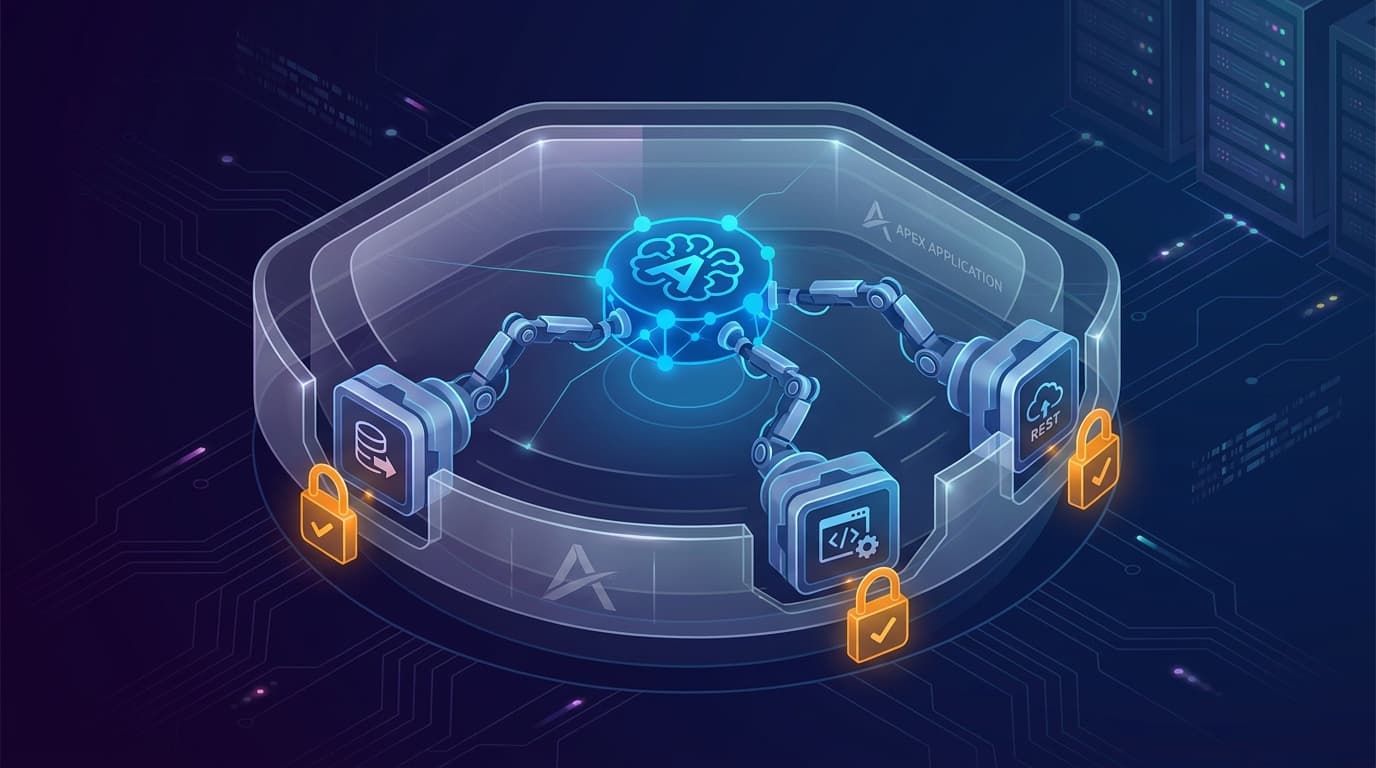
The fastest way to lose your security team's trust is to deploy an AI agent that "has access to the database." The second fastest way is to deploy one with broad function-calling against an unaudited internal API. APEX 26.1 sidesteps both patterns with AI Agents and AI Tools — a scoped, declarative model where the agent can only invoke capabilities you explicitly registered. If you are responsible for AI in an APEX shop, this is the pattern you want to learn first.
The mental model
An APEX AI Agent is a configured reasoning loop. It receives a user request, decides what to do, and acts. What it can actually do is constrained by the set of AI Tools attached to the application. Each tool exposes one specific application capability — for example "retrieve customer balance," "render a confirmation dialog," "post a journal entry" — and the agent has no other path to the application or its data.
Three tool flavours cover most use cases:
- Server-side PL/SQL: for reading or writing data inside the database. The procedure runs as the application's normal database user, with the same permissions any APEX page already has.
- Client-side JavaScript: for actions in the browser — opening a dialog, scrolling to a section, prefilling a form. These cannot read data the user could not already see.
- REST calls: for talking to systems outside the database. Same authentication, same network policy as any other APEX REST integration.
Crucially, there is no generic "execute SQL" tool, no generic "call any procedure" tool, no generic "make any HTTP request" tool. The agent's capability surface is exactly the union of the tools the developer registered. That is what makes the model auditable.
What this lets you actually build
Concrete examples that fit the pattern well:
- Service desk assistant. The agent can look up ticket status, create a ticket from a structured prompt, and escalate to a human queue — three tools, nothing else. The ticketing system's own permissions still apply.
- Procurement helper. The agent can search approved suppliers, draft a purchase request, and route it to the right approver. It cannot approve anything itself.
- Field-service co-pilot. The agent can retrieve equipment history, recommend a maintenance procedure from a knowledge base, and book the next service slot.
- HR onboarding guide. The agent can retrieve personal checklists, open the right form for the next step, and file a completed acknowledgement.
The pattern is consistent: a small, named set of verbs, each one a verb the application already supports through its own UI. The agent is a different way to reach those verbs, not a new set of verbs.
Designing tools that survive a security review
A few practical rules pay back many times over.
Make each tool single-purpose. "Get customer details" beats "do customer stuff." A single-purpose tool is easy to name, easy to audit, easy to limit.
Validate inputs inside the tool. Treat the agent the same way you treat untrusted external input. The agent may have read your prompt instructions, but it may also have read something injected into the user's message.
Return structured output, not text. A tool that returns a record is easier to reason about than one that returns prose. The agent can still narrate, but the data path is clean.
Log every tool call. Tool invocations are your audit trail. Capture caller, tool name, inputs, outputs and timestamp. This is the artefact your compliance team needs.
Require confirmation for state-changing tools. If a tool writes data, route it through a confirmation step the user explicitly accepts. The client-side JavaScript tool flavour is built for exactly this pattern.
A safe agent is not one with smart guardrails on a powerful tool. It is one whose tools are too narrow to be dangerous in the first place.
The role of pseudo-code review
One detail of the broader APEX 26.1 AI surface that applies here: when you ask Oracle's AI Application Generator to create or modify an application, it produces human-readable pseudo-code first. You review and edit that pseudo-code before final generation. The same review-before-execution philosophy carries into agent design — you can preview what an agent will do given a class of prompts, and tighten its toolset before letting it loose.
What APEX AI Agents do not solve
Two limits worth being honest about. First, the quality of the agent's reasoning is still bounded by the underlying model. A well-scoped toolset prevents catastrophic actions, but it does not prevent merely unhelpful ones. Plan for "the agent suggests the wrong tool" as a normal failure mode and design fallbacks to a human.
Second, this pattern works for application-shaped problems: bounded domains, named verbs, structured data. It is not the right approach for open-ended document chat, deep multi-source research or anything that needs to roam across many systems at once. Those use cases belong to OCI Generative AI Agents or similar broader agentic platforms — which can themselves be invoked as a REST tool from an APEX agent if you want both.
A starting workflow for your team
- Pick one user-facing process that gets ten or more requests per week and has obvious named verbs.
- List the verbs. If you cannot list them in one sentence each, the process is not ready for an agent yet.
- Implement each verb as a tool with strict input validation and structured output.
- Pilot with a friendly user group. Log every tool call and every conversation.
- Review the logs weekly. The first month's logs are the best training material your designers will ever get.
APEX 26.1 makes agentic interaction realistic for enterprise teams that could not previously justify it. The model is conservative on purpose, and that conservatism is the feature. Build inside the lines, and you get an agent your auditor will actually let you ship.